Showing posts with label MacBook Pro. Show all posts

Monday, October 20, 2014

Apple Continuity and Handoff

Summary:
1. Make sure your devices are compatible.
2. Turn Bluetooth on, on all your devices.

Apple released Yosemite (OS X 10.10), last week, and iOS 8.1 today. Together, with supported hardware, these two OSes enable the Continuity feature-set; one specific feature is Handoff. In a nutshell, these features let you start a task on one device, such as writing an e-mail or document, and pickup where you left off on another. They also allow your phone to handoff phone calls and SMS text messages to your Mac.

It took a little digging to figure out how to coordinate this. Here are the detailed details [sic]:
http://support.apple.com/kb/HT6337

In a nutshell, your devices need to be on the same WiFi network and Bluetooth needs to be turned on for the them to see each other. FaceTime needs to be turned on and logged into the same iCloud account. It seemed that FaceTime didn't realize that example@mac.com, example@me.com, and example@icloud.com were the same account. I had to uncheck the latter two before I could check the "iPhone Cellular Calls" preference in FaceTime on my Mac.


When my first non-iPhone SMS came through, I had to enter a PIN on my Mac that appeared on my iPhone to confirm I had physical access to both devices.

So far, Continuity seems to be working fairly well.


Monday, November 27, 2006

Lousy Safari Experience Fixed


I've been getting a little frustrated with Safari since moving to a machine with an Intel processor due to the spinning beach ball popping up way too often. But, I think I figured out what the problem was... the problem was especially noticeable on Web sites that made heavy use of Flash.
To fix the problem, I downloaded the latest Flash plug-in from Adobe. I'm thinking that my version of Safari, which was moved over from my PPC box, may have had a Flash plug-in that was compiled for the PPC; hence, it had to use Rosetta to translate the plug-in from PPC to Intel.
I haven't confirmed this scientifically, but I'm definitely noticing an improvement. Or maybe, the plug-in version I downloaded, dated 11/14/06, just had some big improvements. Either way, I'm happy.


PS- To take a perfect screen shot on Mac OS X, just press CMD-Shift-4 and, when you see the cross hairs, press the spacebar. Your cross hairs will turn into a camera icon. As you move the camera icon over each window it'll be highlighted. Just click the mouse on the window and the screen shot will be saved to your desktop as a PNG file. To save the screenshot to the clipboard, press CMD-Shift-CTRL-4 instead.

Sunday, November 26, 2006

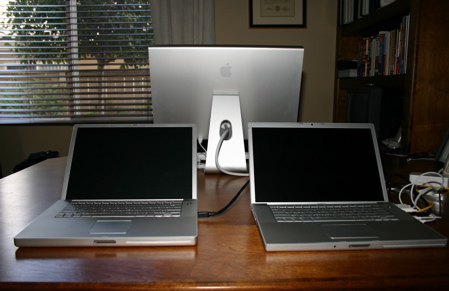
New MacBook Pro Data Migration


Whenever I get a new computer, my biggest problem is migrating all my old stuff to my new machine. Usually, I just use Carbon Copy Cloner to mirror the old hard drive to the new one, but that won’t work since I’m moving from a PowerBook with a PPC processor to a MacBook Pro with an Intel processor (my PPC version of Mac OS X is not Universal).
Of course, Apple has already solved this migration problem for me. The first time I turned on the new MacBook Pro, it asked me if I wanted to move my data from another Mac. I simply connected the computers using FireWire and everything was moved to the new computer including my home folder, preferences, apps, and network settings. There was one minor exception: I had to manually install Apple’s developer tools since that folder isn’t kept with the regular applications.


Disclaimer: I’ve worked for Apple for eight years. Not only had I never used a Mac before coming to Apple, but for my first three and a half years at the company I only worked on Windows NT and Windows 2000 on a daily basis.